WonderDeck Video Studio helps you create educational animation videos with a simple guided workflow. Generate your scenes with the app, then follow our step-by-step tutorial to bring everything together.
Create Educational Videos That Stay Consistent From Scene To Scene.
Available in multiple languages and visual styles.
English • Stop Motion Claymotion
Hindi • Origami Paperfold Style
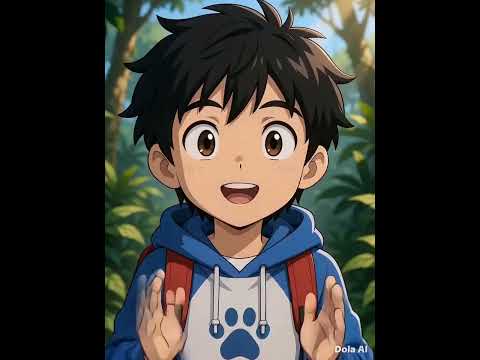
Japanese • Anime Style
English • 3D Style
From cinematic 3D to playful paper cut-outs, pick the perfect look for your video or simply describe your own!
Want to create videos using free AI video makers instead?
WonderDeck Video Studio also includes a dedicated workflow designed for the free AI video makers we recommend.
Use our dedicated workflow to structure your multi-scene stories with ease and consistency.
Generate punchy, engaging short-form content that keeps your audience glued to the screen.
We've also included step-by-step video tutorials that walk you through the complete workflow, so you'll know exactly how to create your videos from start to finish.
WonderDeck Video Studio is a web app that helps you prepare scene-by-scene instructions for educational animation videos. Simply fill in a few fields, and the app does the rest..
Simply enter your topic, choose your settings, and WonderDeck Video Studio prepares each scene for you using the free AI video generators we recommend and Google Veo.
When your video includes a character or mascot, WonderDeck Video Studio reuses the same character description across every scene to help create a more consistent result.
Creating a short vertical video or a longer horizontal video? Simply choose your preferred format, and the app prepares each scene to match your selected settings.
Choose from a library of visual styles, and WonderDeck Video Studio automatically applies matching style instructions to each generated scene.
Upgrade today and get WonderDeck Video Studio, complete with a guided workflow and step-by-step tutorial for creating educational animation videos.