Go Beyond The
Basic Encyclopedia

Create Bigger Books. Build Multi-Volume Series. Add Interactive Quizzes To Every Spread.
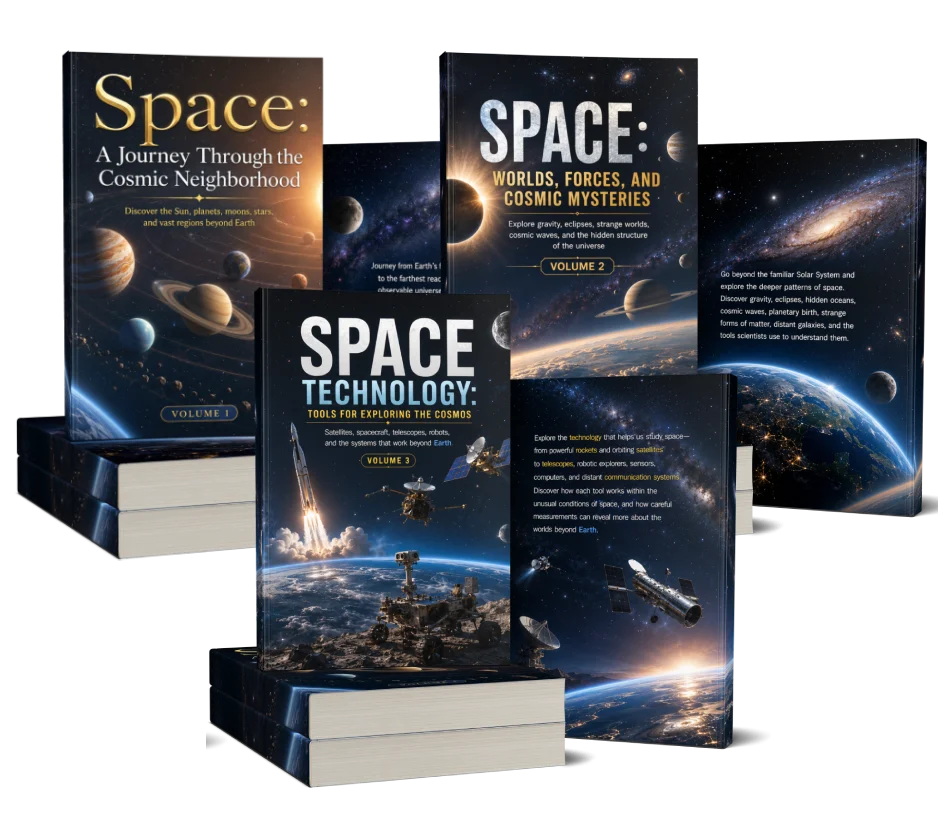
Encyclopedia Deck PRO Output

Encyclopedia Deck PRO gives you more control — create longer books, build multi-volume series, and add interactive quizzes that turn every spread into an opportunity to learn.
Build multi-volume encyclopedia series

Create books from 20 to 100 pages

Add interactive quizzes to your spreads

Unlock premium visual enhancement modes

YES! UPGRADE TO ENCYCLOPEDIA DECK PRO

Your Basic Encyclopedia Is Complete.

PRO Lets You Take It Further.

With the standard Encyclopedia Deck, your workflow is built around a 60-page encyclopedia with 30 panoramic spreads. That's perfect when you want a complete book quickly.

But what if you want to:

  • Go deeper into a topic?
  • Create Volume 2 and Volume 3?
  • Make your encyclopedia more interactive?
  • Give readers something to DO — not just something to read?
That's where PRO comes in.
Interactive Feature

Don't Just Give Them Facts.
Make Them Think.

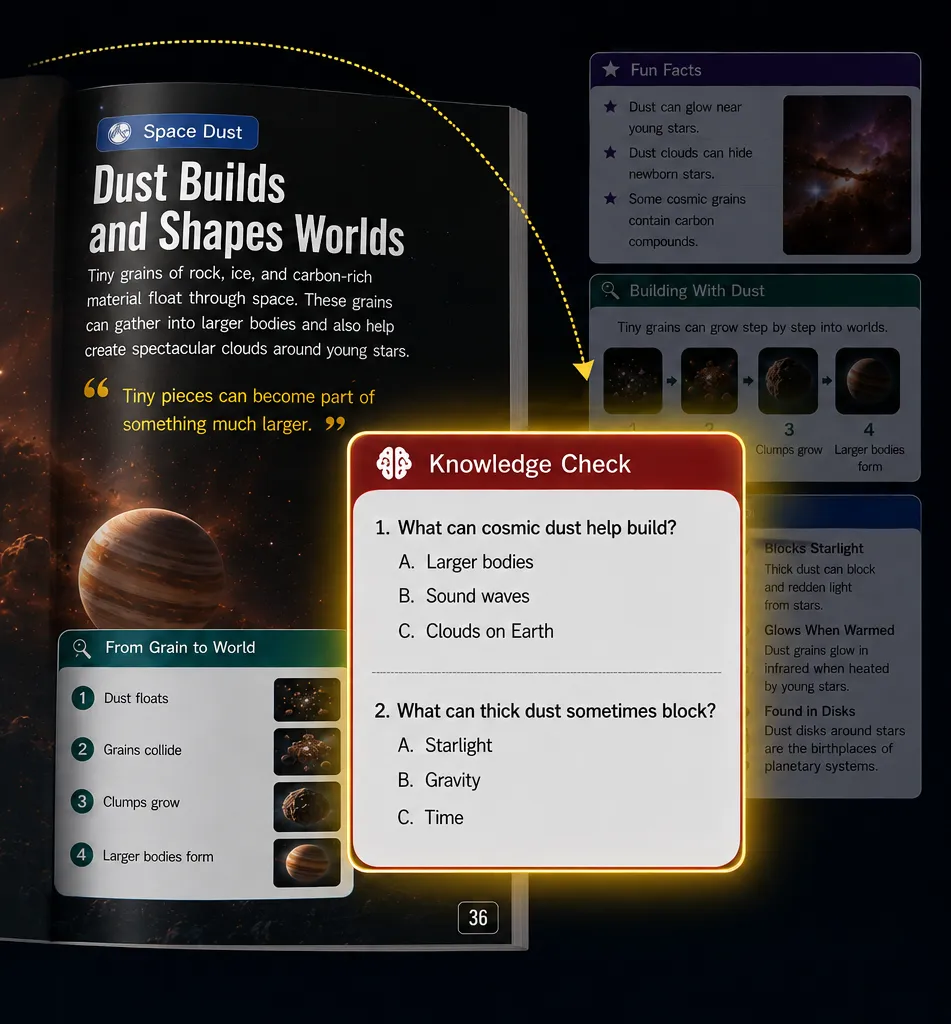
With Encyclopedia Deck PRO, you can activate an Interactive Quiz Box for your spreads. Each quiz generates short multiple-choice questions based directly on the facts presented.

Instead of simply reading:

FACT NEXT PAGE FACT

You can create:

LEARN THINK ANSWER CONTINUE
Interactive Quiz Box Preview

Knowledge Checks

Quick questions that reinforce what the reader just learned on that specific page.

Active Recall

Make readers stop, think, and remember the information rather than passively scrolling.

More Interactive Books

Turn a passive encyclopedia into a highly engaging, interactive educational experience.

Now your encyclopedia isn't just something they read.
It's something they interact with.

One Topic Can Become
An Entire Series.

Build Multiple Volumes From The Same Topic.

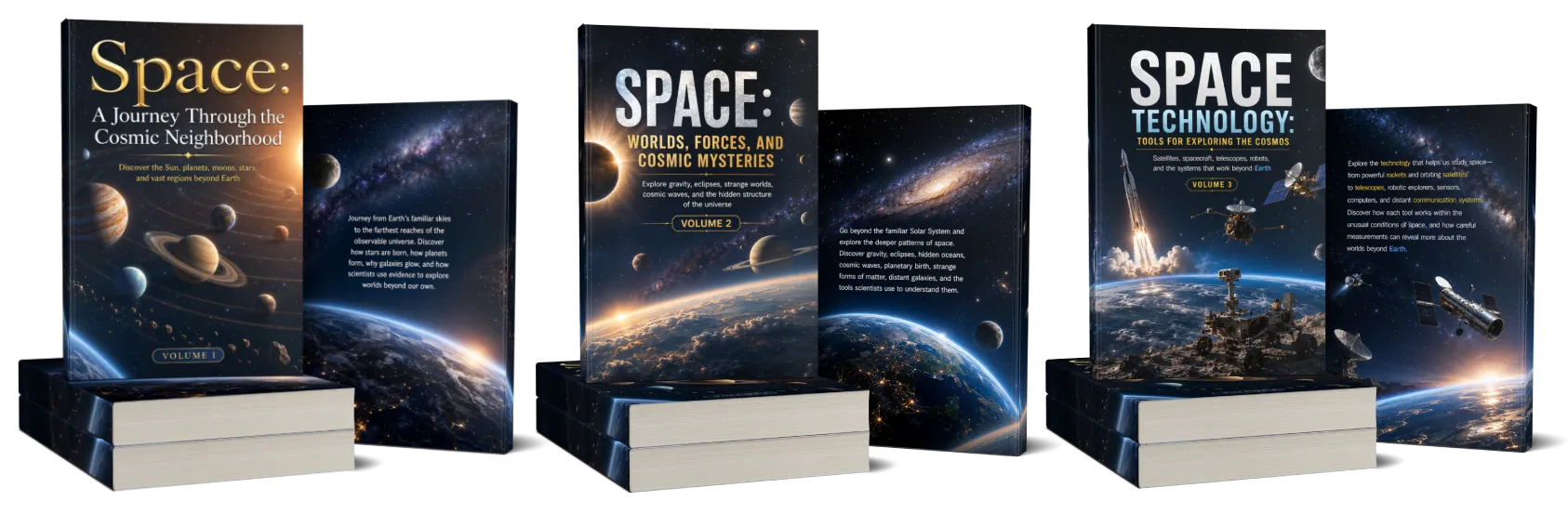
Basic gives you a standalone encyclopedia. PRO lets you turn one big topic into a complete, connected series.

For example:
SPACE
01

Volume 1

Click to turn

02

Volume 2

Click to turn

03

Volume 3

Click to turn

App Specification

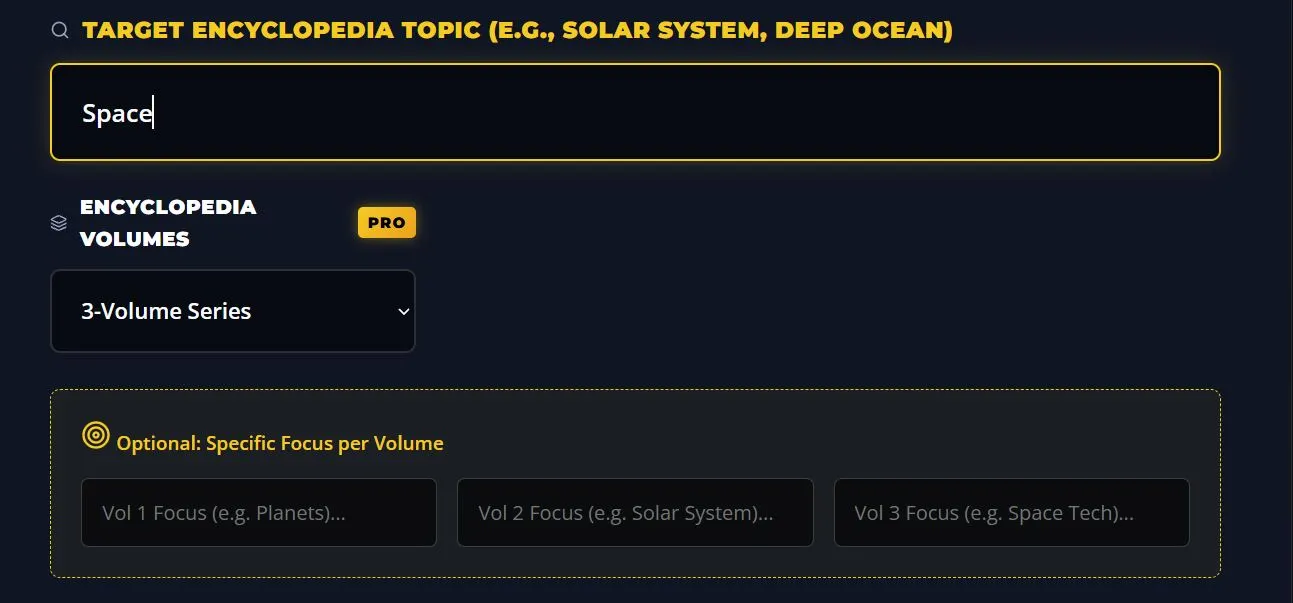
You can even give each volume its own specific focus while keeping the overall series connected.

The PRO upgrade supports 1, 2, or 3-volume configurations and optional focus instructions for each volume.

Multi-Volume Config in App

One keyword. Multiple books. One growing encyclopedia collection.

Flexible Canvas

60 PAGES IS JUST
THE BEGINNING.

Choose How Big Your Encyclopedia Should Be.

The standard edition is fixed at:

30 Spreads → 60 Pages

With PRO, you can choose:

  • Create A Quick Edition (20-40 Pages).
  • Create The Standard Edition (60 Pages).
  • Or Build A Deeper 100-Page Encyclopedia.

You decide how far the topic goes.

10 Spreads20 Pages
15 Spreads30 Pages
20 Spreads40 Pages
25 Spreads50 Pages
30 Spreads (Standard)60 Pages
40 Spreads80 Pages
45 Spreads90 Pages
50 Spreads (Max)100 Pages

The PRO app supports configurable lengths up to 50 spreads / 100 pages.

THIS ISN'T JUST AN UPGRADE.
It's A Bigger Encyclopedia Engine.

Encyclopedia Deck makes the creation process simple. PRO expands what you can create with it.

Build Encyclopedia Series

Turn one topic into multiple connected volumes.

Create Longer Books

Go beyond the standard 60-page format and build up to 100 pages.

Add Interactive Quizzes

Give readers questions based on the facts they just learned.

Quiz ON / OFF Control

Turn quizzes ON when you want more interaction, or OFF when you want maximum information space.

Create Deeper Topic Coverage

More spreads means more room to explore a subject from different angles.

Keep Every Volume Fresh

PRO can instruct each volume to use fresh, unique facts and progress logically through the topic.

PRO VISUAL ENHANCEMENTS

Make Your Encyclopedia
Look Even More Premium.

PRO doesn't only expand the content. It also adds enhanced visual controls built directly into the Visual Studio.

Bring Extra Details

Crisp, hyper-detailed visual treatment for a more polished encyclopedia look.

Cinematic Atmosphere

Atmospheric lighting, cinematic shadows, depth of field, and premium visual quality.

KEEP A SUBJECT CONSISTENT

Create A Visual Anchor Across Your Book.

Want a recurring explorer, rover, character, or specific subject to remain visually consistent?

PRO lets you define an Anchor Subject and inject it into the visual prompts as a mandatory subject anchor for consistency.

Describe it once.
Keep it recognizable throughout the book.

This is especially useful when you want a recurring visual element to appear throughout a longer encyclopedia or series.

PRO FEATURES BREAKDOWN

Everything You Unlock With Encyclopedia Deck PRO

Multi-Volume Builder

Create 1, 2, or 3-volume encyclopedia series.

Flexible Book Length

Choose from 20 up to 100 pages.

Interactive Quiz Box

Add 2 multiple-choice knowledge-check questions to your spreads.

Quiz ON / OFF Control

Use quizzes when you want interaction without sacrificing fact space when you don't.

Volume Focus Controls

Give each volume its own specific topic focus.

Fresh Content

Keep facts unique and logically progressive across volumes.

Visual Polish Modes

Unlock Museum Grade and Cinematic visual enhancement modes.

Anchor Subject

Maintain a consistent visual subject across generated pages.

Advanced Visual Config

Take greater control over your visual generation workflow.

One Keyword.
Far More Possibilities.

Encyclopedia Deck PRO

Ready To Unlock PRO?

  • Build Bigger Encyclopedias.
  • Create Interactive Learning Experiences.
  • Turn One Topic Into An Entire Series.

Create bigger books. Create more engaging books.
Create more from every topic.

No Thanks, I don't want to create longer books or series.